Deep Dive
Git and GitHub: your undo button when you build with AI
One changed line and my test website lost its color and design. One button, Revert, and 58.7 seconds later it was fine again.
Watch it on
01What it's about
I changed a single line in a test copy of my website and it broke: no color and no design. I got it back with one button, Revert, without typing any weird commands. It didn't even take a minute.
Everything in my brand lives in a repository: a folder that keeps its complete history, like the history of a shared document. I can see my website as it was on any day.
If you build something with artificial intelligence, git works like your undo button. In this episode we look at where it came from, how I use it, what GitHub offers today and how to get started. I'm not an expert: I learned by trying things.
Chapters
- 0:00 · The broken website that comes back
- 1:15 · Where git came from
- 2:36 · How I use it
- 3:49 · The demo: I break the website and roll it back
- 5:23 · GitHub today: Actions, Pages and more
- 6:26 · The showcase: stars and trending
- 7:13 · The competition and what's next
- 7:59 · Getting started today
- 8:47 · Takeaways (and glossary)
02Where git came from
You've surely lived it: final, final two, final okay this one. Nobody knows which one is the good one. Now imagine that mess with a crowd writing the same program: that's what happened to the Linux people.
- 2005: the company behind BitKeeper, the tool they used, stopped lending it for free. Torvalds, the creator of Linux, made his own.
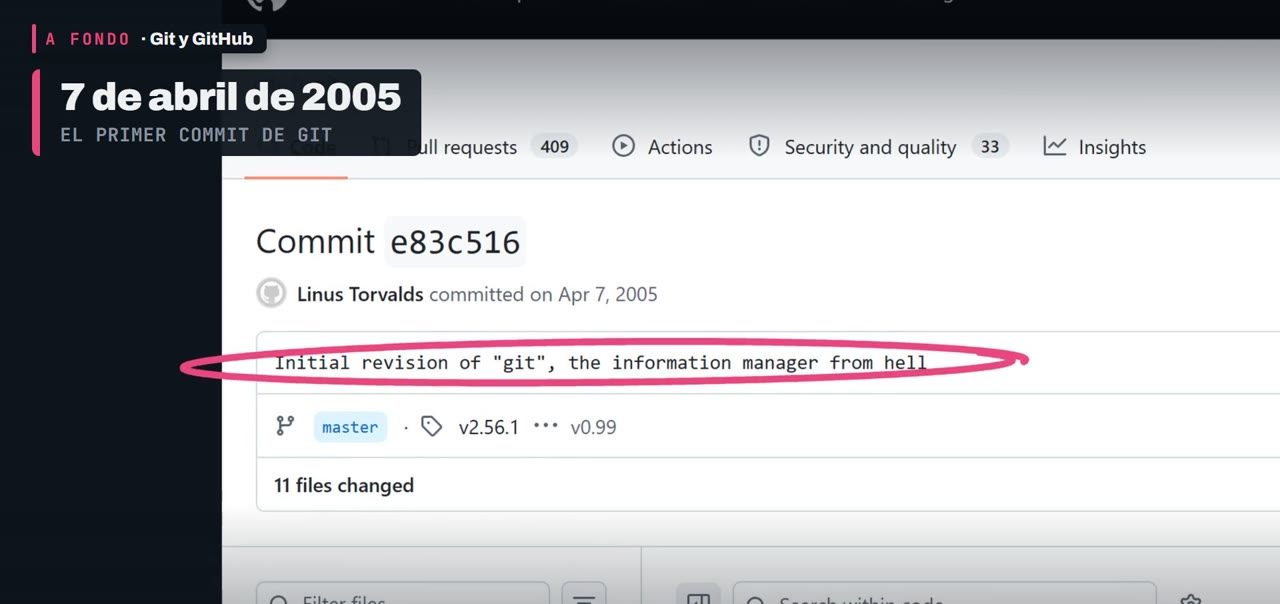
- April 7, 2005: git's first commit. The message says "the information manager from hell".
- 2008: GitHub is born. In 2018, Microsoft announced it was buying it.
The name, git, was his pick. He said it was a stupid content tracker. He wanted it fast, with lots of people working at once without stepping on each other, and every computer holding a full copy.
Git and GitHub are not the same
Git saves every version of your work and lives on your computer. GitHub is a place on the internet where you keep a copy of your repository, to share it and work with other people. Git, the tool. GitHub, the place. Today it holds over 800 million repositories.
03How I use it
Git is run with commands you type by hand. Sometimes I type them myself to learn. But almost always I ask the artificial intelligence to write them, and Claude leaves its signature.
A history like that is good for something very simple: if something breaks, you look back and the last moment when it worked shows up.
When an artificial intelligence writes for you, changes arrive fast and there are lots of them. That's why it pays to make a commit every time something works. If the next change goes wrong, you go back to that commit.
- Commit
- A saved version: the whole project as it was at that moment, with a message saying what changed.
- Branch
- A copy of the project that splits off from the good version, to try something without touching it.
- Main
- The good version. On my website, whatever is on main gets published.
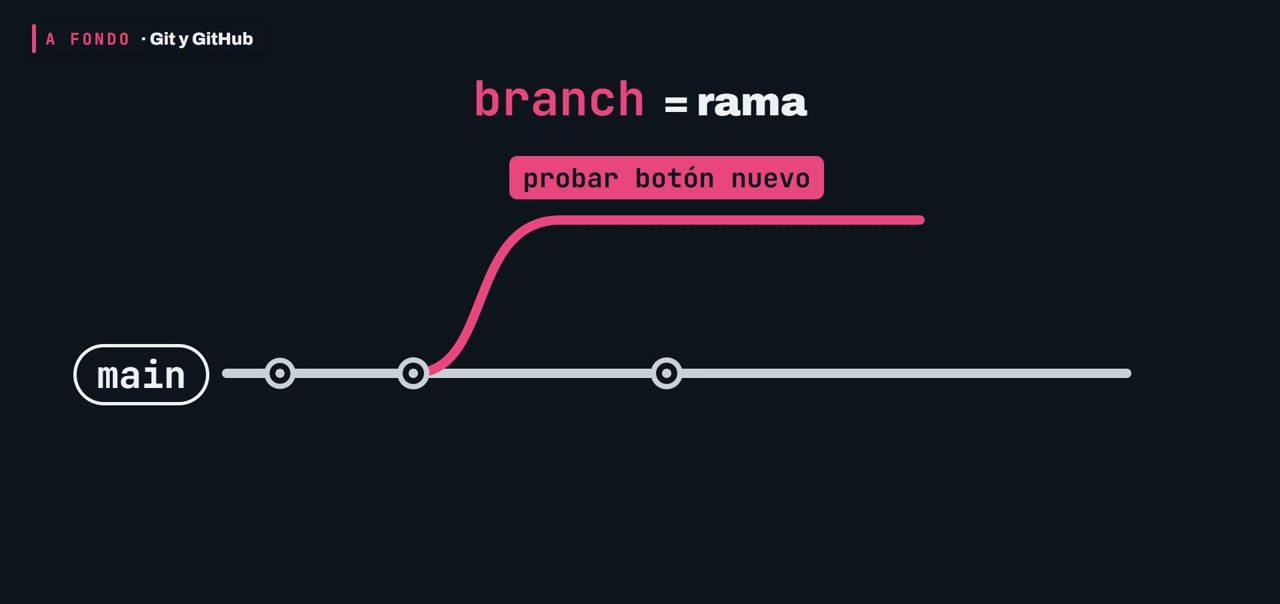
If I want to try something, I open a new branch and change what I want there. Main doesn't even find out. If it goes well, I merge it into main. If it goes badly, I delete it and nothing happens.
04The demo: I break the website and roll it back
I open a branch on a copy of my website and change a single line: the name of the stylesheet, the one that gives it color and design. GitHub shows me the line that goes out, in red, and the one that comes in, in green.
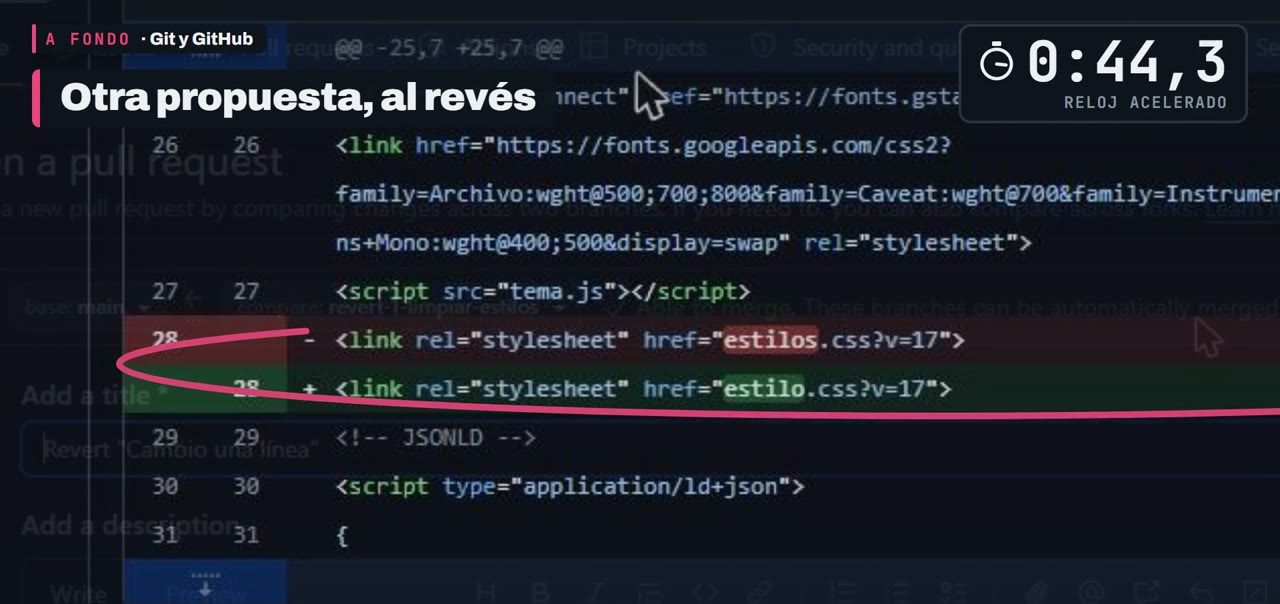
That's called a pull request: a proposed change that someone reviews, and only then does it get merged. I merge it, and the website loses its color.
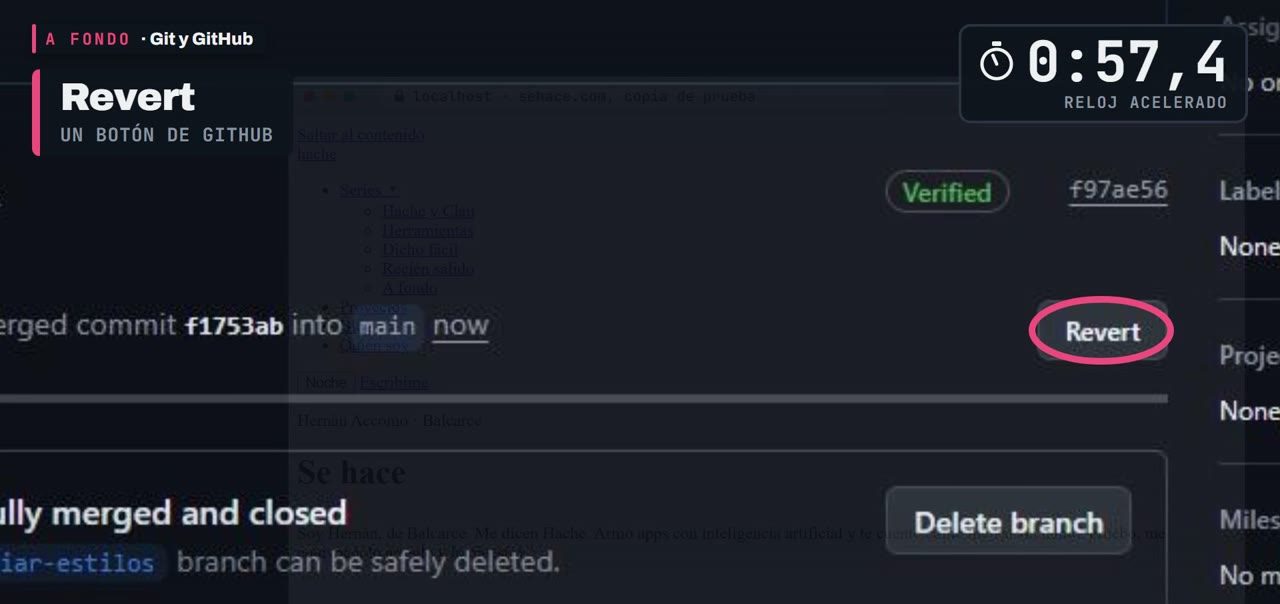
To go back, I open that merged change and press Revert. GitHub builds another proposal that does the opposite: the line that went out comes back and the one that came in goes away. I merge it, update my copy, and it's fine.
A revert doesn't delete anything: it adds a new commit that goes back. The broken change is still in the history, and so is the one that undoes it. I didn't erase the past: I corrected it on top.
This is serious stuff. On November 10 I changed the background and color of my whole website in a single commit: 39 files at once. If someday I regret it, a revert gives me the previous design back.
What never goes up
Some files should never be uploaded, like a key. A file called .gitignore tells git what to leave out.
If a key was already uploaded, .gitignore doesn't erase it.
05GitHub today: much more than storing code
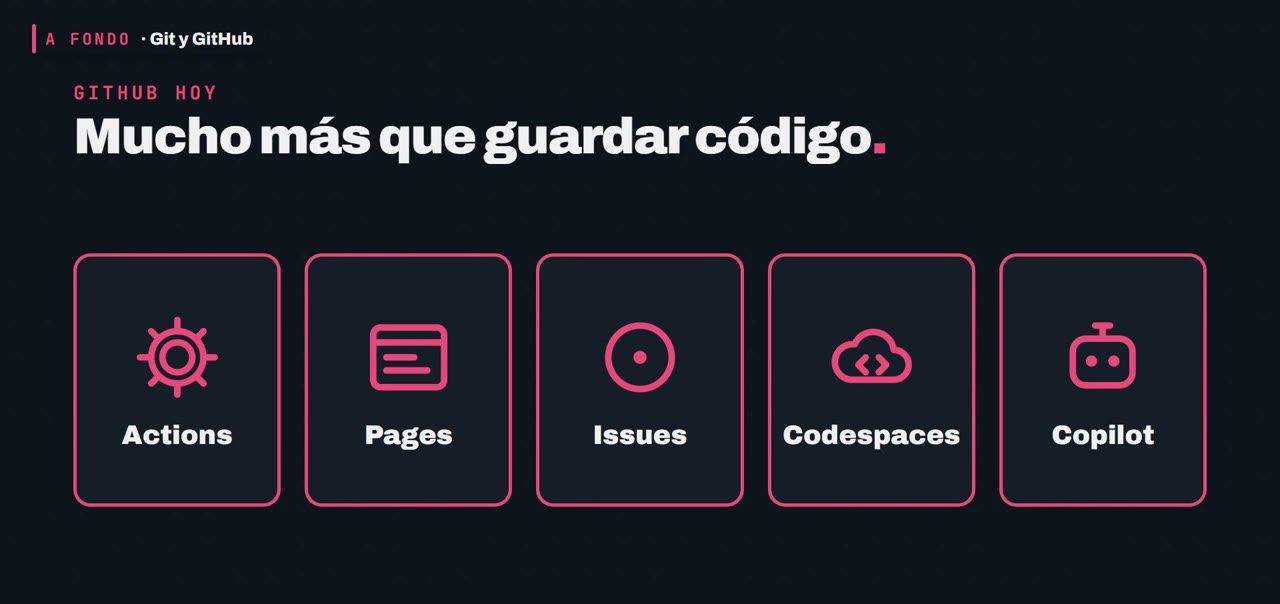
- Actions: a helper that watches your repository. When something happens, like a new commit, it does the task you left written down in a file, all by itself.
- Pages: you publish a website for free from a repository, as long as the repository is public.
- Issues: each one is a written-down to-do: a bug, an idea, a task.
An example of mine with Actions: when I push a change to the website, an Action publishes it on its own, without me touching anything. Others start by themselves at a set time, to post a video to each network.
How much does it cost? On a public repository, nothing. On a private one, the free account comes with 2,000 Actions minutes a month. To get started, that's plenty.
There's more: Codespaces lends you a computer in the cloud to code from the browser, and Copilot, GitHub's artificial intelligence, has a free plan to try.
06The showcase: stars and trending
The big change came from somewhere else: GitHub became the big showcase for what people build with artificial intelligence.
Every project collects stars, a kind of like that also works as a bookmark. And the trending page shows what gained the most stars in the day, the week or the month.
Lots of people use it like a store: they go in, read, check the stars and download. A tip: check who maintains it and when its last commit was, and only then download it.
And the code coming in has changed too: according to GitHub's Octoverse 2026, over 40% of the pull requests in September 2026 were started by an AI agent.
07The competition and what's next
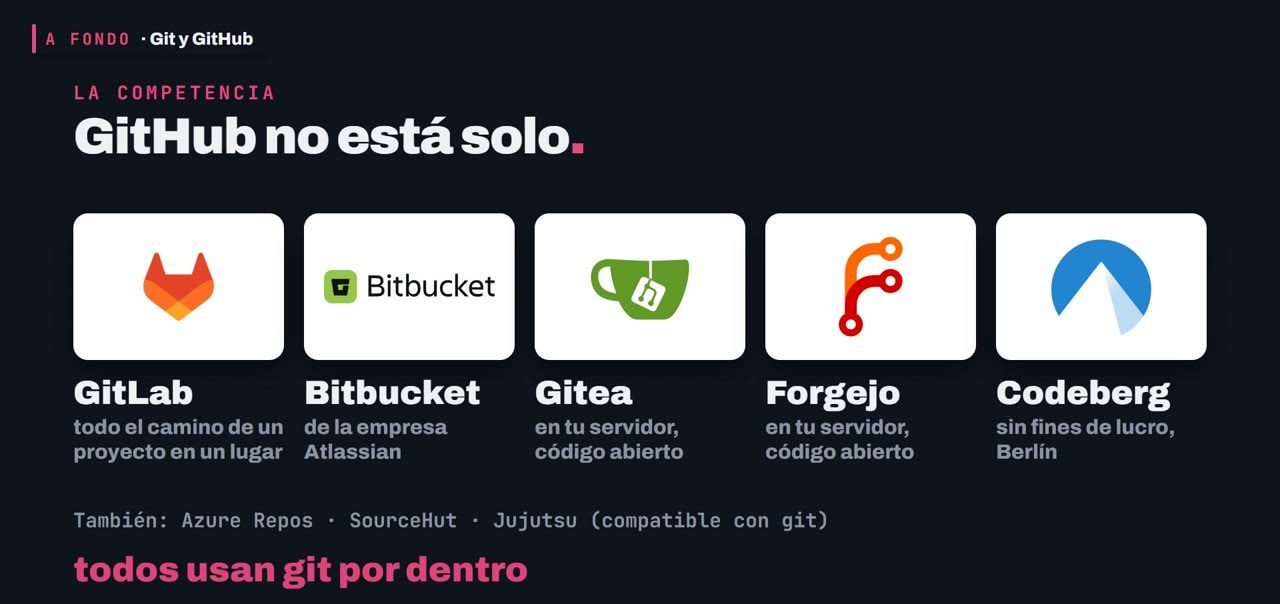
- GitLab brings the whole life of a project together in one place.
- Bitbucket comes from the company Atlassian.
- Gitea and Forgejo install on your own server and their code is open. Codeberg, a non-profit association from Berlin, runs on Forgejo.
They all use git inside: if you move someday, your history travels with you, whole.
Is there something that replaces git? In October, Anthropic said it built its own version control for its internal code, and that its pace of merged changes went up twelve times. But they themselves say it's not a replacement for git for everyone. For everyone else, git is still the foundation.
08Getting started today
A GitHub account costs nothing and comes with public and private repositories with no limit on how many (private ones lack some features).
- Create an account.
- Create a new repository.
- Upload a test folder.
From the browser, everything you drag onto the page gets uploaded, and there .gitignore doesn't protect you.
For your real project there's GitHub Desktop, a free program for Windows or Mac that doesn't ask for any commands. Or my way: ask your artificial intelligence. That's how I work, one request per line:
- Make a commit with a clear message.
- Push the change to GitHub.
- Go back to the last commit that worked.
09Takeaways
Git saves every version of your work. It was born because a community ran out of a borrowed tool. GitHub adds the place to share it, automate with Actions and show your work. And if you build something with artificial intelligence, git works like your undo button.
- Repository
- The folder with its history.
- Commit
- A saved version, with its message.
- Branch
- A copy to try things without touching main.
- Pull request
- The proposed change.
- Revert
- The undo button: it adds a commit that goes back.
- Action
- The task that runs by itself.
I counted the numbers of my projects with git on November 16, 2026, and I timed the 58.7 seconds that day on a private copy of my website.
This content uses an AI-cloned voice: it's my own voice.
Next Deep Dive: Twiglet, front end and back end. Tell me in the video comments what topic you'd like us to explain.
10Sources
The official pages where I read each fact, with the date I saw them.
- A short history of git (BitKeeper, 2005)git-scm.com/book/en/v2/Getting-Started-A-Short-History-of-Git
- Git's first commit (4/7/2005, "the information manager from hell")github.com/git/git/commit/e83c5163316f89bfbde7d9ab23ca2e25604af290
- Git README ("the stupid content tracker")github.com/git/git/blob/master/README.md
- GitHub launch (4/10/2008)github.blog/news-insights/the-library/we-launched
- Microsoft announces it will acquire GitHub (6/4/2018)news.microsoft.com/source/2018/06/04/microsoft-to-acquire-github-for-7-5-billion
- GitHub: over 800 million repositoriesgithub.com/about
- Understanding GitHub Actionsdocs.github.com/en/actions/get-started/understand-github-actions
- GitHub pricing (Actions free on public repos; 2,000 minutes a month on private ones with the free account)github.com/pricing
- GitHub Pagesdocs.github.com/en/pages/getting-started-with-github-pages/what-is-github-pages
- Codespacesgithub.com/features/codespaces
- Copilot plans (including a free one)github.com/features/copilot/plans
- GitHub Trendinggithub.com/trending
- openclaw (394,685 stars, created 11/24/2025; read with the GitHub API)github.com/openclaw/openclaw
- Octoverse 2026 (over 40% of September 2026 pull requests started by an agent)github.blog/news-insights/octoverse/octoverse-commits-pushes-reach-new-highs-in-2026-as-developers-build-with-agents
- GitLababout.gitlab.com
- Bitbucket (Atlassian)atlassian.com/software/bitbucket
- Giteaabout.gitea.com
- Forgejoforgejo.org
- Codebergcodeberg.org
- Azure Reposazure.microsoft.com/en-us/products/devops/repos
- SourceHutsourcehut.org
- Jujutsu (git-compatible)github.com/jj-vcs/jj
- Anthropic: "Redesigning source control" (10/13/2026)anthropic.com/engineering/redesigning-source-control
- GitHub Desktop: what it is (free, no commands)docs.github.com/en/desktop/overview/getting-started-with-github-desktop
- GitHub Desktop: Windows or Macdocs.github.com/en/desktop/installing-and-authenticating-to-github-desktop/installing-github-desktop
- GitHub plans (unlimited public and private repositories on the free account)docs.github.com/en/get-started/learning-about-github/githubs-plans
- Photo of Linus Torvalds in the video: Krd (crop by Von Sprat), CC BY-SA 4.0, via Wikimedia Commons. Changes: crop and lightcommons.wikimedia.org/wiki/File:LinuxCon_Europe_Linus_Torvalds_03_(cropped).jpg
- Git logo: Jason Long, CC BY 3.0git-scm.com/community/logos
Keep reading

Newsletter
What I'm trying, explained simply, straight to your inbox. In Spanish for now. No spam, and you can unsubscribe anytime.