Deep Dive
Can you clone your own voice and make it read well?
One of the two voices at the start isn't mine. And the one talking to you through the whole video isn't either: it's my voice, cloned with artificial intelligence.
Watch it on
01What it's about
One of the two voices at the start of the video isn't mine. And the one talking to you the whole time isn't either: it's my voice, cloned with artificial intelligence, using a model called OmniVoice.
We look at three things: what it takes to clone a voice, what happens if you do it on an ordinary computer (and where I do it), and how to make it read names, acronyms and numbers well.
I'm not an expert in voices: I learned by doing it. What you see are my files, my tests and my real timings. What I couldn't confirm, I tell you.
Chapters
- 0:00 · A or B? One of these voices isn't mine
- 0:54 · Part 1 · What cloning a voice means
- 1:54 · Part 1 · The reference rules
- 2:59 · Part 2 · Doing it on your computer
- 4:36 · Part 2 · Where I do it: Colab
- 5:13 · Part 3 · Why it reads badly and how to fix it
- 9:01 · Part 3 · Polish and speed
- 9:33 · Takeaways
02What cloning a voice means
A voice model is a program that learned to speak after processing a huge amount of audio. The one I use is OmniVoice, and it's shared on Hugging Face, a site where models are published.
According to its official page, it turns text into speech, works with more than 600 languages (Spanish is on the list) and can clone a voice from a short audio clip.
Cloning works like this: you give it an audio of a person talking and a text, and the model reads that text with that voice. It doesn't replay the audio: it imitates it to say something else.
- An audio of you: the authors recommend a reference of 3 to 10 seconds. A longer one makes the process slower and can make the likeness worse.
- A text for it to read.
- A computer that runs the model.
- Reference
- The short audio of the voice the model will copy.
I clone my own voice. Cloning someone else's without them knowing and allowing it is not okay.
03The reference rules
I recorded my first reference with the flu. A clone copies everything in the reference: if the original voice sounds worn out, the clone sounds worn out; if it swallows its s sounds, the clone does too.
On October 25 I recorded four takes again, rested this time. I picked the fourth and trimmed it to almost nine seconds, nice and clean. That's the one I've used ever since.
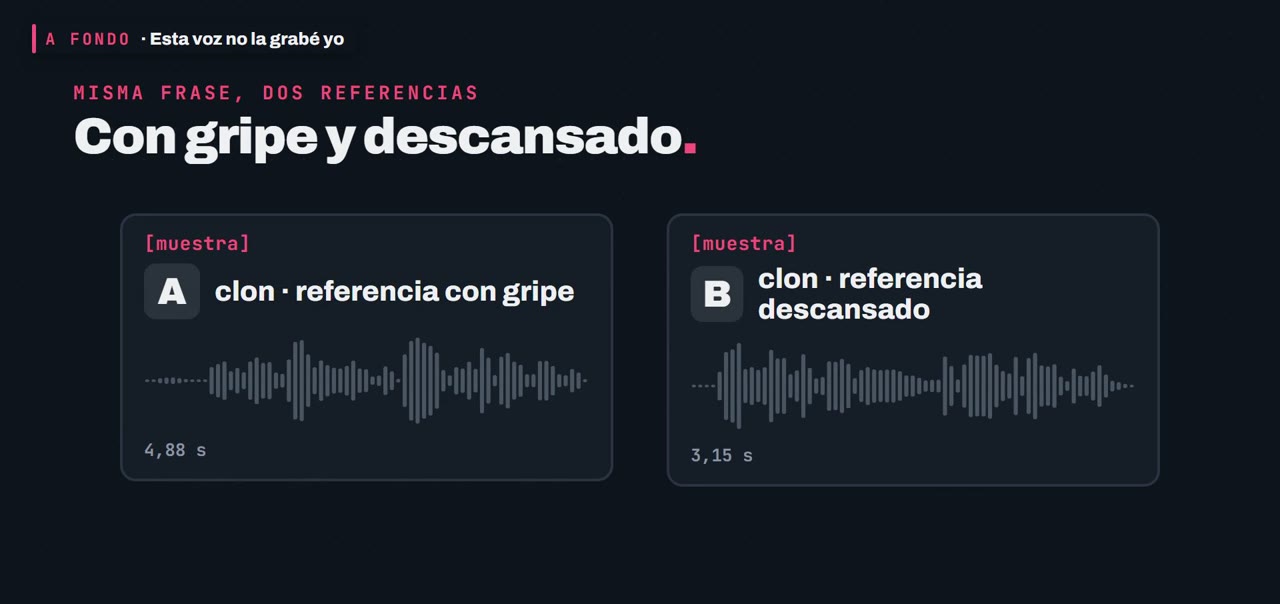
I also tried a 3-second cut, the minimum they recommend. Both versions are understandable and say the same thing, and I stay with the almost-nine-second one because it's the one I tested in all my videos. I don't show the full reference: it's the key to my clone.
04Doing it on your computer
You can. I did it on mine, which runs Windows. You need Python, a separate folder to install it in (a virtual environment) and the model, which you download once. After that, the program is under 30 lines: you give it the text and the reference and it gives you back an audio.
On November 9 I ran the test: twelve short sentences, 45 seconds of audio in total. The file timestamps say it took about an hour, roughly five minutes per sentence.
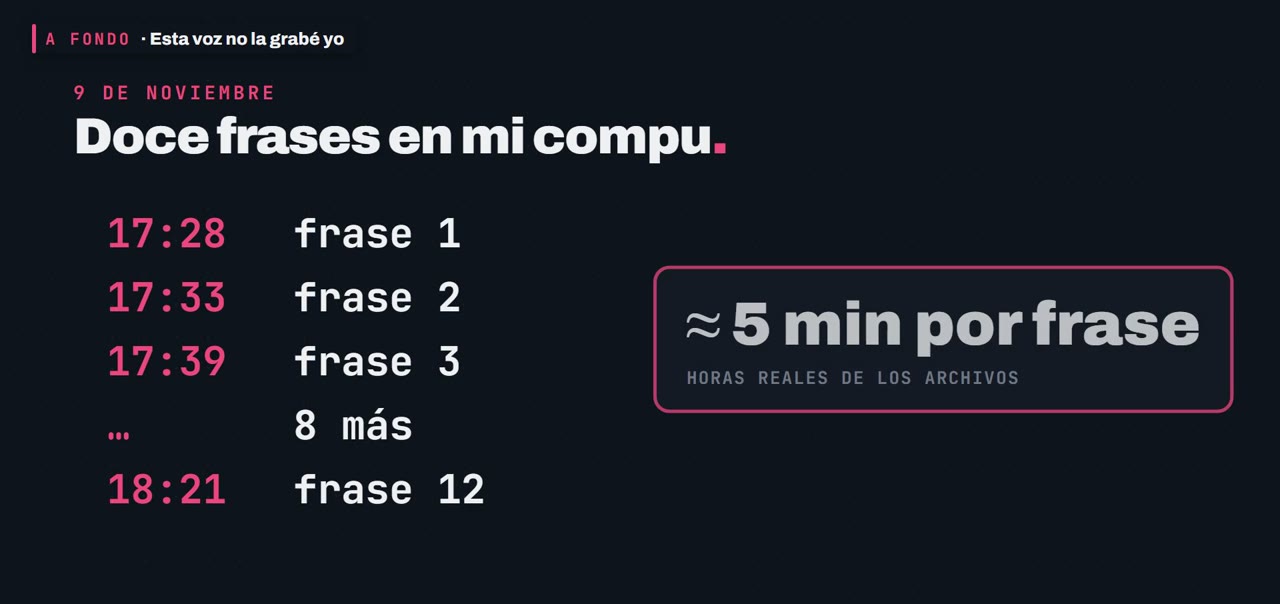
Why so slow? The processor does the math little by little. These models were designed for the graphics card (GPU), which does thousands of calculations at once. The official instructions explain how to install it for graphics cards; for the processor alone, they say nothing.
My graphics card is old and has 2 GB of memory. An earlier test took eight minutes per sentence and, with the browser open, the program sometimes ran out of memory. It's a real error I ran into.
05Where I do it: Colab
I do it on borrowed computers that have a graphics card. One of them is Colab, a Google service where you run programs on Google's computers, from the browser and without installing anything. It has a free version and can give you a graphics card.
Free comes with conditions. Google states that resources are not guaranteed, that limits are not published and that if you sit idle, it disconnects. That's why my rule is not to leave it waiting: it disconnects and you lose everything.
I don't give numbers for Colab's limits or prices: I couldn't confirm them and they change. What Google says in its FAQ is in the sources.
06Why it reads badly and how to fix it
A voice model doesn't understand what it reads: it looks at the letters and guesses how they sound, based on what it heard most. With English words, brand names or numbers, it guesses wrong. It's not a rare failure: it's normal.
There's only one rule: write each word the way a person would say it reading aloud. The fix is only for the voice; on screen, normal spelling stays.
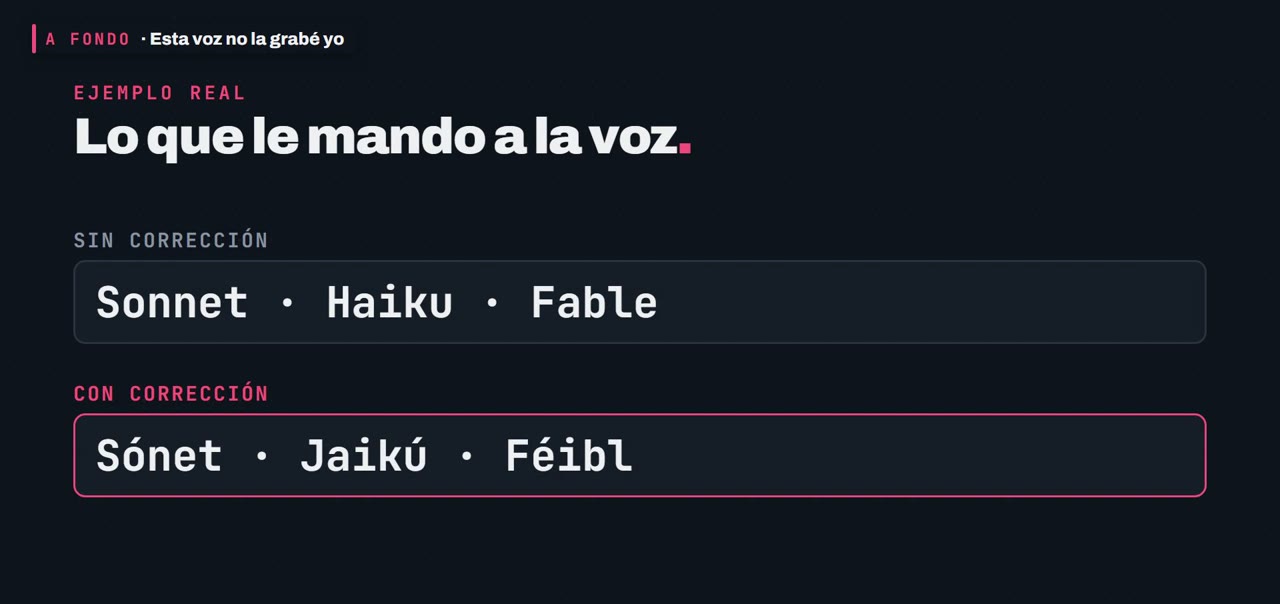
- Acronyms: I write them with the name of each letter. For API I write "a pi".
- Numbers: the program I use on Colab only reads whole single numbers well, so I turn them into words before generating the audio.
- The letter g before e or i: in the Spanish word "imágenes" it read it strangely; the fix was to write "imájenes". With the acronym GPT, spelling it out sounded like "yepeyé" and what worked was writing it as is.
- The s sounds at the end of words are the hardest: sometimes the voice swallows them, especially if I speed it up. There's no way to force it by writing differently; you listen and repeat.
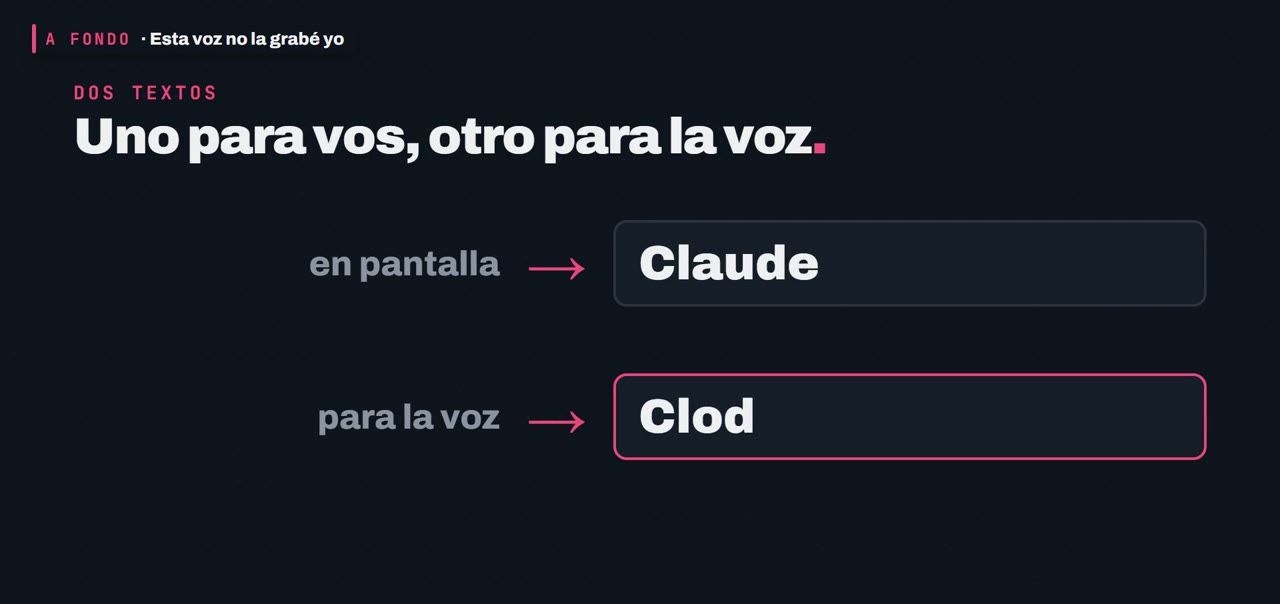
All those rules live in a text file, a dictionary: on one side how each word is written and on the other how it's said. A program of mine swaps each word before sending the text to the voice and leaves what goes on screen untouched.
It's not finished: every time something sounds wrong, I add a line. So I don't depend only on my ear, another program sends each sentence to an artificial intelligence that listens and says what it understood. A real case: a sentence said "hay plan gratis" ("there's a free plan") and that AI heard "ay plan gratis".
The method, for your own words
- Generate a sentence with your words.
- Listen to it.
- Note the ones that sound wrong.
- Rewrite them the way they're said and try again.
- Save them in a list: that's your dictionary, and it helps with the next audio.
One more thing: if you repeat the same sentence, the result changes a little each time. That's why I generate short sentences and pick the best one.
07Polish and speed
These models give you quiet audio. A program of mine cuts the low frequencies that make it muddy, adds clarity and evens out the volume.
The model accepts a speed number, and 1 is normal. Before, in my reels, I used 1.12; now I use 1 everywhere, with real pauses between sentences. With more speed, the first thing you lose is the s at the end.
08Takeaways
The answer from the start: of the first two samples, the one I didn't record was B. A is a piece of a recording of mine from October.
- A clone is made with a short audio and a text.
- The reference rules.
- Names, acronyms and numbers are written the way they're said.
- Everything gets listened to before it's used.
It's useful if you make videos, classes or an app that talks and you want your own voice without recording every sentence.
This content uses an AI-cloned voice. The only real recording of my voice is sample A at the start, a cut from a take on October 25.
The next Deep Dive is Colab and its free alternatives: the same voice on two machines, with the times measured. Tell me in the comments what topic you'd like me to explain in depth.
09Sources
The official pages where I read each fact, with the date I saw them.
- OmniVoice: model page on Hugging Facehuggingface.co/k2-fsa/OmniVoice
- OmniVoice: repository (3 to 10 second reference, installation for NVIDIA, Apple and Intel Arc cards)github.com/k2-fsa/OmniVoice
- OmniVoice: list of languagesgithub.com/k2-fsa/OmniVoice/blob/main/docs/languages.md
- Colab: frequently asked questionsresearch.google.com/colaboratory/intl/es-419/faq.html
- Kaggle: notebooks documentationkaggle.com/docs/notebooks
Keep reading
Newsletter
What I'm trying, explained simply, straight to your inbox. In Spanish for now. No spam, and you can unsubscribe anytime.